

The Secret to Endless Juice: Maximize Your Battery's Longevity
Why Battery Life Matters in Hollywood's Sunny Climate
Knowing how to prolong battery life is essential for keeping your devices—from smartphones to vape pens—running all day. Living in Hollywood, FL, means your battery faces unique challenges from heat and humidity, whether you're at Hollywood Beach or the ArtsPark at Young Circle.
It's important to understand the difference between battery life (how long a single charge lasts) and battery lifespan (how many years the battery works well). The lithium-ion batteries in your devices naturally degrade with every charge cycle. However, your habits can dramatically affect how quickly this happens.
Here are some quick tips to get started:
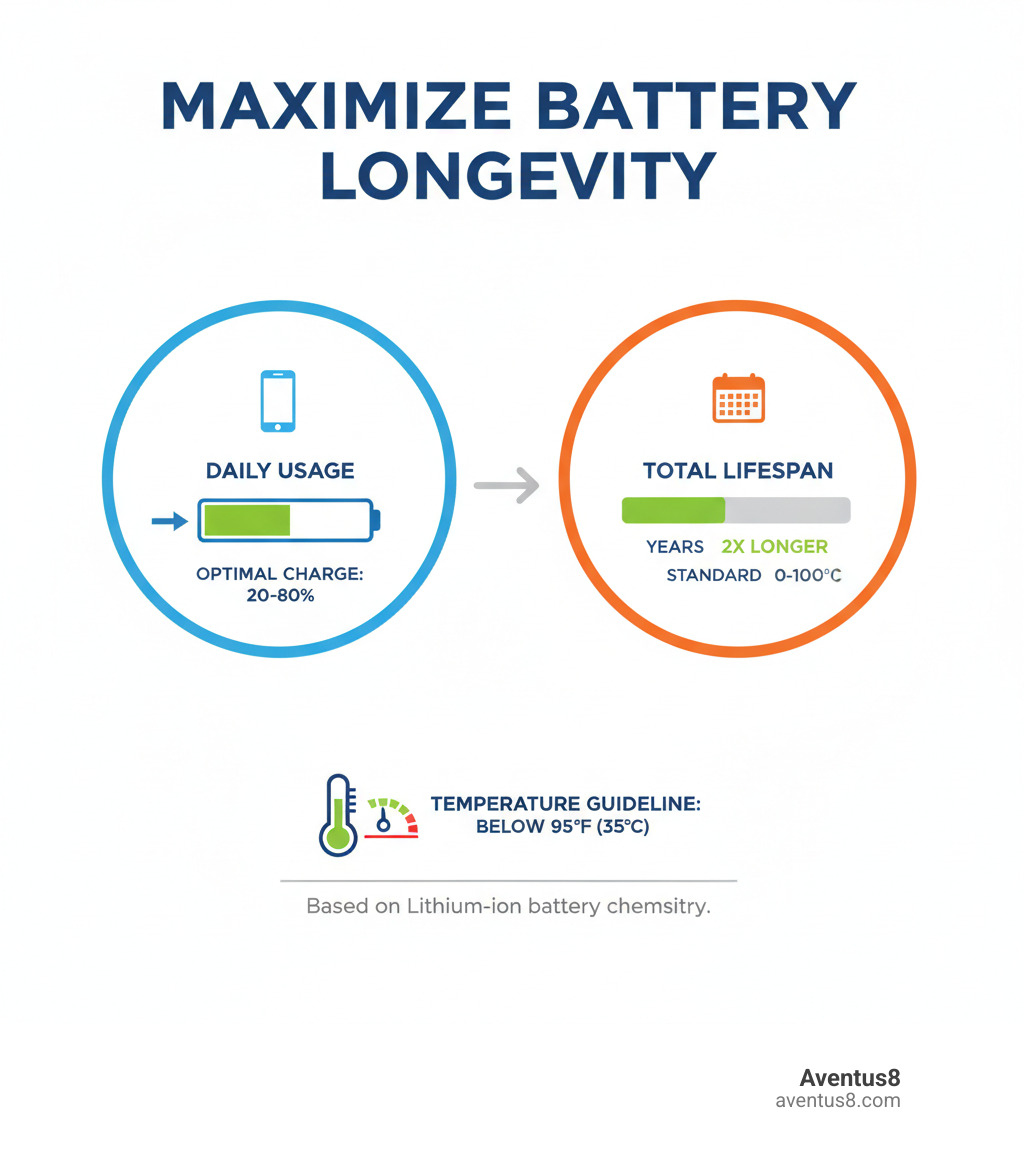
- Keep your charge between 20-80%.
- Reduce screen brightness.
- Turn off Bluetooth, GPS, and Wi-Fi when not in use.
- Avoid extreme heat, especially in cars.
- Use Battery Saver Mode when power is low.
- Update your software and manage background apps.
Charging to the extremes (0% or 100%) stresses the battery. A battery cycled from 0-100% might last 300-500 charges, while one kept between 40-80% could last over 1,000 cycles. That's the difference between replacing your device every year versus every three years.
As Max Shemesh, CEO of Aventus8, I've seen how crucial proper battery care is for our Hollywood, FL community. Good maintenance is just as important for your vape pen as it is for your smartphone to stay connected and powered up.
Why Your Battery Drains So Fast
Ever notice your battery is at 15% just as you're about to snap a sunset photo at Hollywood Beach? You're not imagining it. Several factors silently drain your power.
Background app activity is a major culprit. Social media, email, and weather apps are constantly refreshing and syncing data, sipping away at your battery. Another huge drain in Hollywood is poor cell coverage. In weak signal areas, like corners of the ArtsPark or parts of the beach, your phone works overtime searching for a connection, burning through power.
Location services (GPS) are also power-hungry. While useful for navigation, many apps track your location constantly in the background. High-performance activities like gaming and streaming video push your processor to its limits, generating heat and draining the battery at an alarming rate.
The Screen and Connectivity: Your Biggest Power Consumers
Your phone's screen is its biggest energy hog, often consuming 30-50% of your battery. The main issue is screen brightness. Under the intense Florida sun, we crank it up, but this devours power. Also, a long screen timeout setting means your screen stays on, wasting energy when you're not looking at it.
Screen technology matters, too. OLED screens, common in modern phones, save power with Dark Mode because black pixels are turned off. LCD screens use a backlight that's always on, so Dark Mode has less effect. Features like Always-On Display (AOD) are convenient but create a slow, constant drain.
Your phone's connectivity radios—Wi-Fi, Bluetooth, and GPS—are always searching for signals. Leaving them on when not needed is like leaving a car running. Even when Wi-Fi is off, your phone might still be scanning for networks, a hidden drain you can disable in your settings. While 5G is fast, it can also use more power than 4G, especially when your phone is constantly switching between networks as you move around Hollywood.
How to Prolong Battery Life: Instant Settings Fixes
Before heading out for an evening at the Hard Rock or a walk along the Broadwalk, a few quick setting tweaks can make a huge difference in your battery life.
Start with your phone's built-in smart features. Adaptive Brightness automatically adjusts your screen based on your surroundings, saving power effortlessly. Adaptive Battery learns which apps you use most and limits power to the ones you rarely open.
When your battery drops low, activate Battery Saver Mode (or Low Power Mode). This feature reduces brightness, limits background activity, and tones down animations to squeeze out extra hours of use—perfect for when you're exploring Hollywood Boulevard and a charger is nowhere in sight.
Another quick win is restricting background data for apps that don't need constant internet access. You can also take control of your notifications. Every ping and buzz wakes your screen and processor. Go into your settings and be selective about which apps can send you alerts. These small changes are key to learning how to prolong battery life.

Optimizing Your Display and Connectivity
Your display has a huge appetite for energy, but you can manage it. Manually lower your brightness indoors or use adaptive brightness. A simple but effective trick is to shorten your screen timeout to 15 or 30 seconds. This stops the screen from wasting power when you're not using it.
If you have an OLED screen, use Dark Mode. It's a real battery saver because black pixels are turned off, consuming zero power. Finally, disable keyboard sounds and vibrations. Each tap uses a tiny bit of energy that adds up over the day.
For connectivity, develop the habit of toggling off Wi-Fi, Bluetooth, and GPS when you're not using them. In areas with poor cell service, use Airplane Mode to stop your phone from burning battery while searching for a signal. Lastly, manage app permissions for location services. Set apps to "Allow only while using the app" to prevent constant background tracking. You can also limit their use or disable location services entirely for certain apps.
The Long Game: Charging Habits for Maximum Battery Lifespan
Daily tricks are great, but what about keeping your battery healthy for years of use around Hollywood? This is where understanding how to prolong battery lifespan is crucial. Today's lithium-ion batteries don't have a "memory," but they do have a limited number of charge cycles.
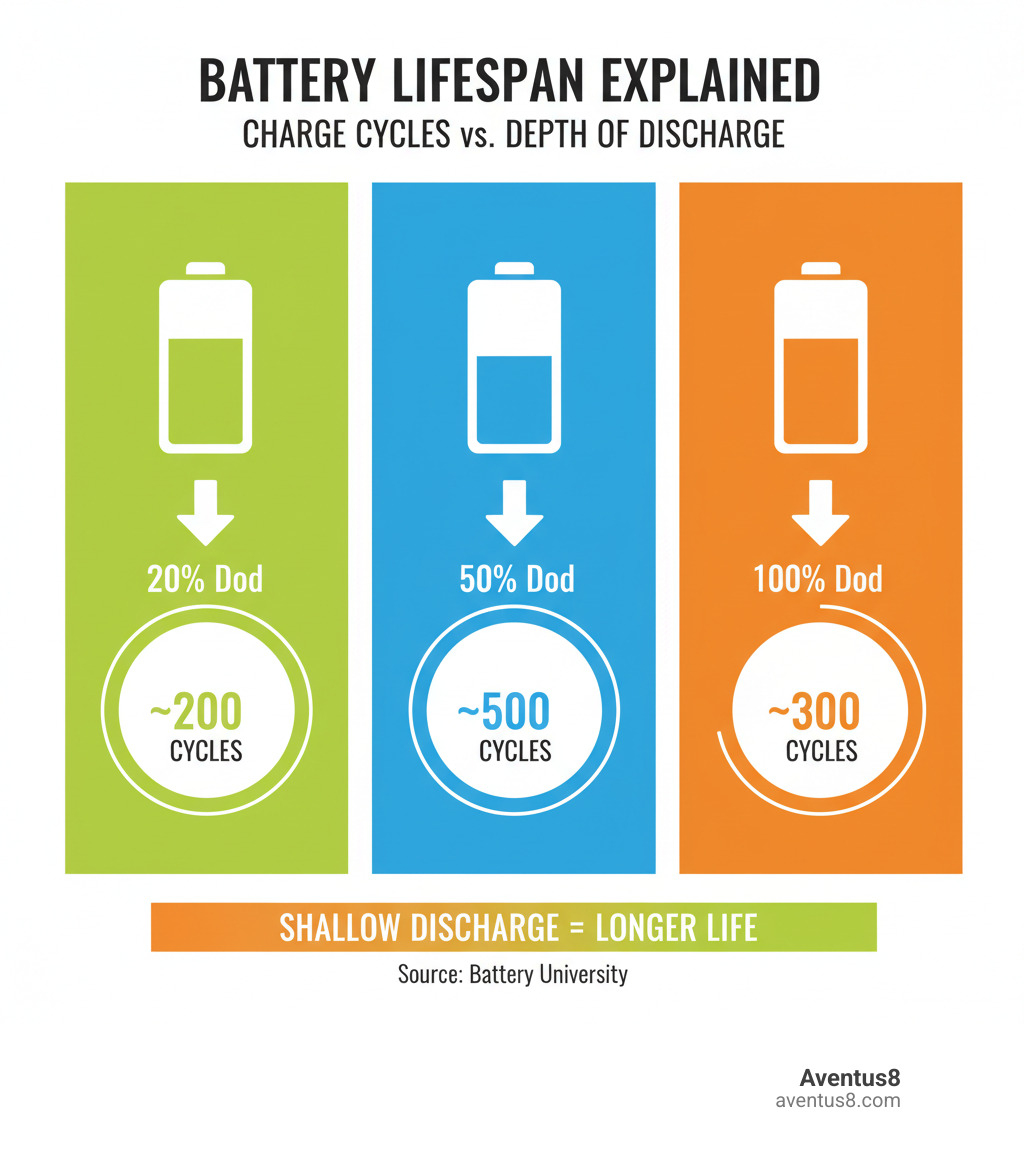
The secret to a longer lifespan is managing the Depth of Discharge (DoD)—how much power you use before recharging. Shallow discharges are better. Consistently draining your battery to 0% after a day at the Anne Kolb Nature Center might only give you 300-500 cycles, while smaller drains can result in over 1,000 cycles.
This leads to the "40-80% rule." According to Battery University, keeping your charge in this range puts the least stress on the battery. Avoid full discharges (0%) and extended time at 100%. Instead, accept partial charging. Topping off your phone for 20 minutes before you head out is better than one long charge from empty to full.

How to Prolong Battery Health with Smart Charging
The magic numbers are 20% and 80%. Charging to 100% gives you 300-500 cycles, but stopping around 80-90% can double or even triple that lifespan to 850-1,500 cycles. Try to plug in before your battery drops below 20% and unplug before it hits 90%.
This means overnight charging is not ideal. While modern phones stop charging at 100%, they sit at that stressful high voltage for hours. It's better to charge your phone in your Hollywood home in the evening and unplug it before bed. Fast charging is convenient, but it generates more heat, which is the battery's enemy. Use a standard charger for daily use and save the fast charger for when you're in a rush to get to a show at the Hollywood Beach Bandshell. Finally, always use certified chargers and cables to avoid damaging your battery with unregulated power.
| Depth of Discharge (DoD) | Estimated Cycle Life |
|---|---|
| 20% | ~2,000 cycles |
| 50% | ~500 cycles |
| 100% | ~300 cycles |
Battling the Hollywood Heat: Temperature's Impact on Your Battery
If you learn one thing about how to prolong battery life in Hollywood, FL, let it be this: heat is your battery's worst enemy. Temperatures above 86°F (30°C) accelerate chemical reactions that permanently degrade battery capacity. A chart on Battery University shows that a battery stored at 104°F (40°C) with a full charge can lose 35% of its capacity in one year. The damage is irreversible.
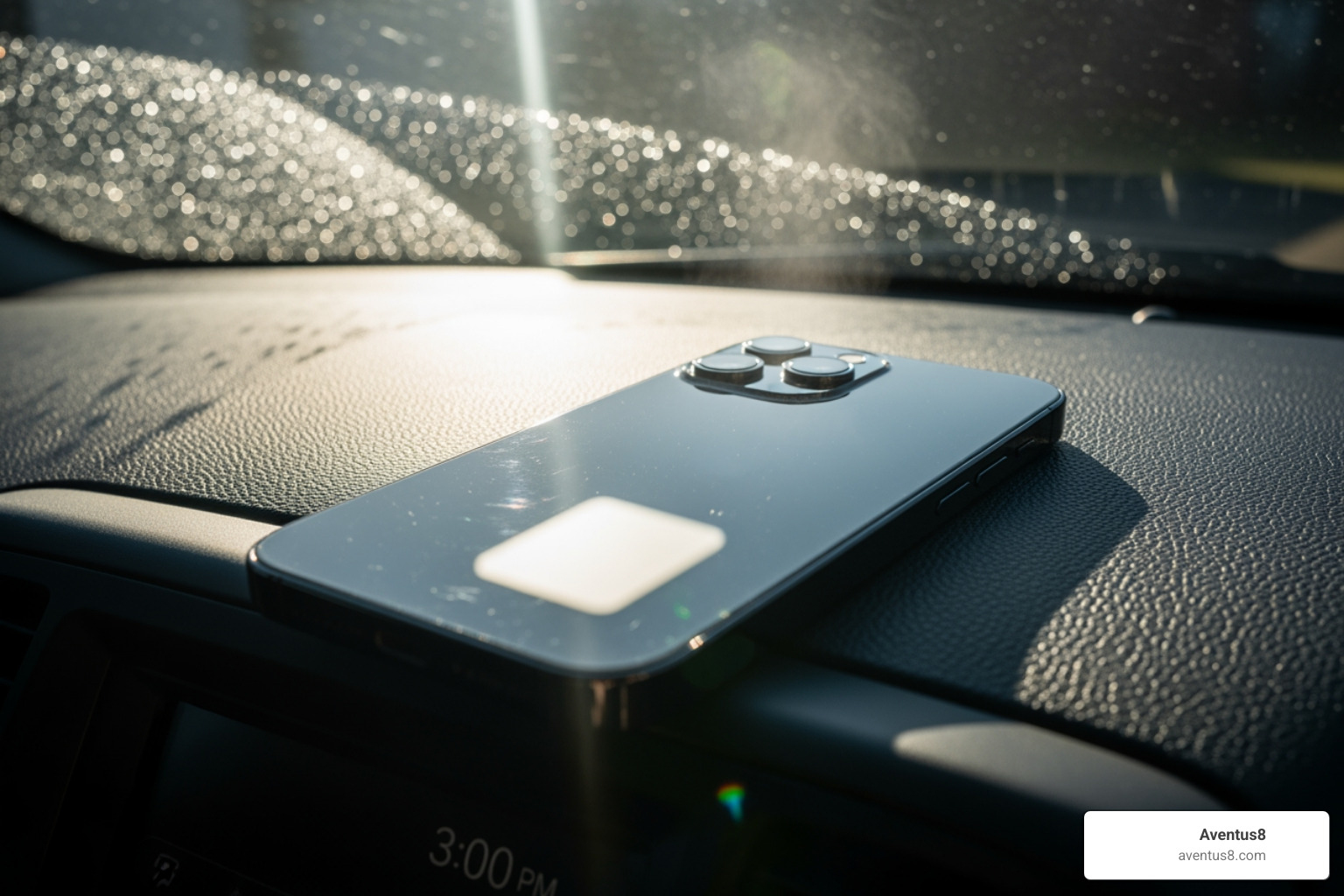
This is why you should never leave your phone or vape pen in a car. The interior can quickly become an oven, baking your device and destroying its battery. Also, avoid leaving devices in direct sunlight at the beach or by the pool. If your phone feels hot while charging, take it out of its case. Cold weather can temporarily reduce performance, but it doesn't cause the permanent damage that heat does.
Special Tips for Your Vape Pen Battery
Your vape pen battery needs the same care as your phone. At Aventus8, we help our Hollywood, FL customers extend the life of their vapes with these simple practices.
- Connection Care: When screwing on a cartridge, make it finger-tight. Over-tightening can damage the connection pin.
- Clean Regularly: In our humid climate, oil can build up on the 510-thread connection. Gently clean the threads on the battery and cartridge with a cotton swab and a bit of rubbing alcohol every few weeks. For more tips, see our guide on the best rechargeable vape pens for THC.
- Store Properly: Keep your vape pen in a cool, dry place. Never leave it in a hot car or direct sunlight.
- Charge Smart: The 20-80% rule applies here too. Short, frequent charges are best.
- Use Lower Voltage: If your battery has variable voltage settings, using a lower voltage is gentler on the battery and coil. It will also make your cartridges last longer. Find the right battery for you in our battery showdown for THC vape cartridges.
- Handle with Care: Dropping your vape can damage internal components.
Troubleshooting Persistent Battery Drain
If you've tried all the tips and your phone still dies halfway through a stroll on the Hollywood Beach Broadwalk, it's time to play detective. Your phone's settings hold the clues to what's draining your power.
First, check your battery usage stats in Settings > Battery. This screen shows exactly which apps and services are using the most power. You might find a weather app you used once to check the surf report is a major culprit. Once you've identified a problem app, you have a few options:
- Uninstall: If you don't need the app, this is the easiest fix.
- Force Stop: This immediately halts the app and can help you see if it's the source of the drain.
- Restrict Background Activity: In the app's settings, turn off its ability to run in the background.
Don't forget the power of a simple restart. Rebooting your phone can clear out software glitches that cause abnormal battery drain. Finally, regularly audit and delete unused apps to free up resources.
When to Update and When to Reset
Sometimes the problem isn't an app, but outdated software. System and app updates often include important battery optimizations and bug fixes. Always keep your apps updated and install OS updates when they become available.
If nothing else works, a factory reset is the last resort. This wipes your device clean, returning it to its original state and eliminating deep-seated software issues. Before you do this, you must back up your data, as a reset erases everything. If the problem persists after a reset, it's likely a hardware issue. The battery may have reached the end of its natural lifespan and needs to be replaced. In that case, it's time to contact the manufacturer or visit a local repair shop in the Hollywood area for support.
Frequently Asked Questions about Prolonging Battery Life
At Aventus8 in Hollywood, FL, we get a lot of questions about batteries. Let's clear up some common myths on how to prolong battery life.
Is it bad to use my phone while it's charging?
It's not ideal. Using your phone while charging generates extra heat, especially with intensive tasks like gaming or streaming. Since heat is the number one enemy of batteries, particularly in our warm Florida climate, this can shorten its overall lifespan. A quick text is fine, but for longer sessions, it's better to let it charge undisturbed.
Should I let my battery die completely before recharging?
No. This is a myth from old battery technology. For modern lithium-ion batteries, deep discharges (letting it drop to 0%) cause stress and accelerate aging. The best practice, whether you're at home or out exploring the Art and Culture Center of Hollywood, is to charge your phone when it drops to around 20% and unplug it before it reaches 90%. Partial charges are healthier for your battery's long-term life.
Does turning off my phone save battery lifespan?
Yes. When your phone is off, it's not using power or going through charge cycles. This gives the battery a rest and extends its lifespan. If you're not using your device for several hours (e.g., during a long meeting in downtown Hollywood or overnight), turning it off can make a difference over time. For long-term storage, charge the battery to about 50% and then power it down completely.
Conclusion
Here in Hollywood, FL, staying connected is part of our lifestyle, from capturing sunsets over the Atlantic to navigating the ArtsPark at Young Circle. A dead battery can quickly disrupt your day, but it doesn't have to.
You now have the essential strategies for how to prolong battery life. Simple habits—like keeping your charge between 20% and 80%, avoiding overnight charging, and using Dark Mode—can add years to your battery's lifespan. In our Florida heat, the most important rule is to protect your devices from high temperatures by never leaving them in a hot car or direct sun.
These same principles apply to your vape pen. Proper care ensures it's ready when you need it. For more tips, check out The Ultimate Guide to THC Vape Cartridge Longevity.
At Aventus8, we're dedicated to helping our Hollywood community get the most from their wellness routine, which includes having reliable devices. These small tweaks to your daily habits will protect your battery's health and keep you powered up for the long haul, so you can enjoy everything our city has to offer without worrying about your next charge.


